Real Time Data Visibility: What It Is and How to Use It
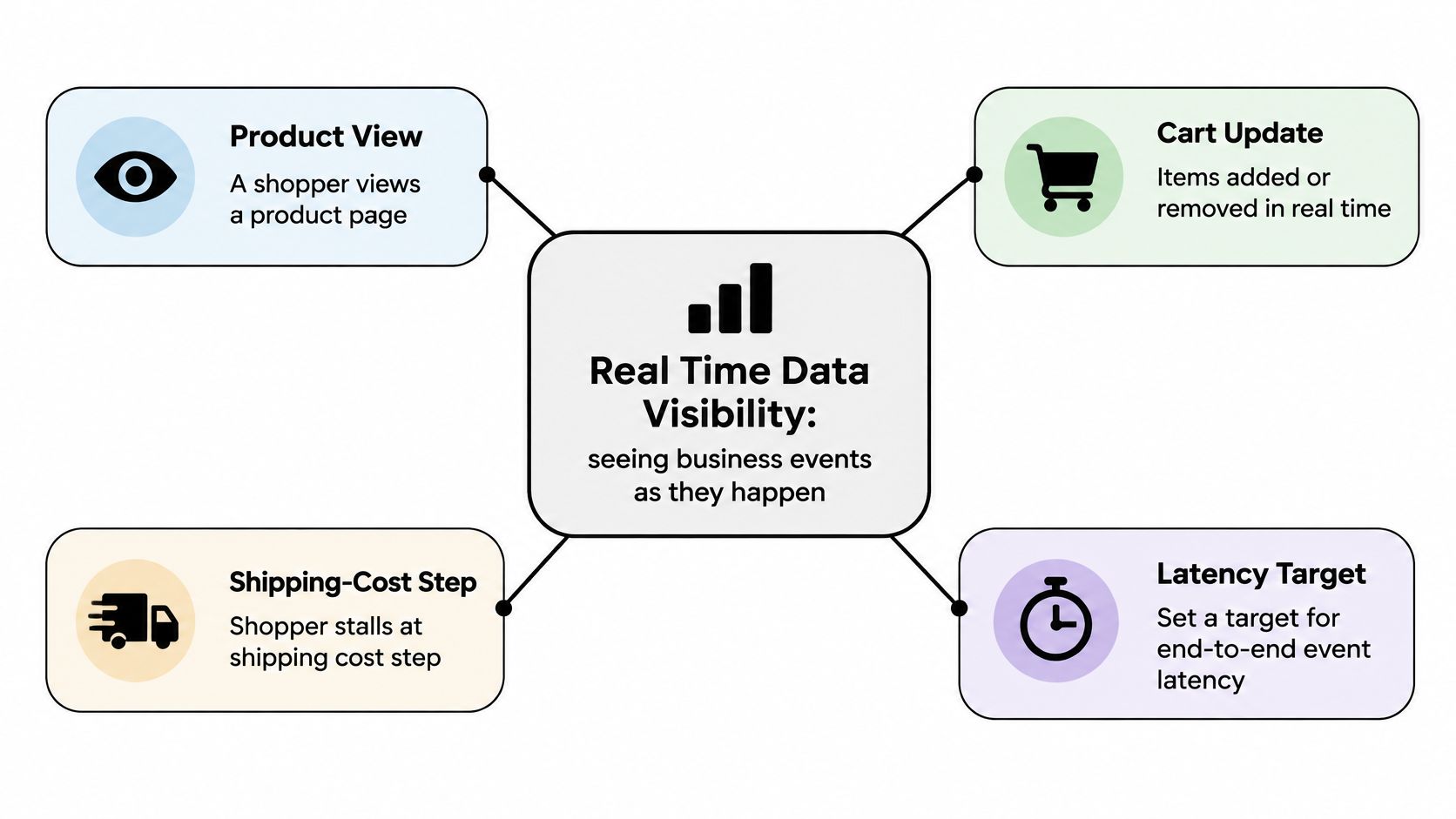
A shopper pauses at the shipping-cost step while your support agent reads yesterday's conversion report. The report may explain what went wrong, but it can't help that shopper now. If you manage a Shopify store, the practical question is whether you can spot the problem while there's still time to offer useful help.
Table of Contents
- What Real Time Data Visibility Means and How to Set Your Latency Target
- Business Benefits and the KPIs That Prove Them
- Choosing an Architecture for Live Data Feeds
- How to Measure Latency and Event Accuracy Step by Step
- Privacy Limits and When Not to Intervene
- E-commerce and B2B Use Cases Where Live Signals Pay Off
<a id="what-real-time-data-visibility-means-and-how-to-set-your-latency-target"></a>
What Real Time Data Visibility Means and How to Set Your Latency Target
Real time data visibility means seeing business events soon enough to make the decision they require. Those events might be product views, cart changes, support requests, or checkout errors. A dashboard that refreshes frequently doesn't necessarily qualify if the information behind it arrives late.
Think of a store camera and a printed weekly report. Both describe activity in the shop, but only the live feed lets someone notice a customer waiting for help during the sale.
In its December 2020 survey of 596 data and IT professionals in the United Kingdom and United States, KX found that only 31% required data within one second or less. That's a useful reminder that a latency target should follow the decision, not a universal definition of instant.
<a id="match-freshness-to-the-decision"></a>
Match freshness to the decision
The following are planning tiers, not guaranteed performance levels. A slower feed can be perfectly adequate for a review meeting and completely unsuitable for an interaction happening during checkout.
Latency tiers and the commerce decisions they support
| Latency tier | What it gives you | Typical commerce use |
|---|---|---|
| Sub-second | Events appear almost as they happen | Fraud screening, live cart prompts |
| Minutes (1-15 min) | Activity visible within a session or campaign window | Campaign monitoring, stock checks during launches |
| Hourly or daily | Batch-level reporting | Weekly reviews, financial close |
Faster delivery also means accepting more operational work: monitoring queues, handling failed deliveries, and keeping the display current. Don't pay for speed that nobody can use. If an agent isn't available to respond, a faster alert alone won't resolve the shopper's question.
Practical rule: Set your freshness target around the last useful moment to act, not the fastest refresh setting available.
<a id="write-a-decision-speed-requirement"></a>
Write a decision-speed requirement
- Name the decision. Choose something concrete, such as helping a stuck shopper or adjusting live-chat coverage.
- Pick the tier. Match delivery speed to how quickly that decision loses value.
- Work backward. Allow time for staff to understand the signal and respond before the opportunity closes.
- Require visible freshness. Confirm that the feed can expose median and slow-end delays, commonly expressed as p50 and p95, using consistent timestamps.
- Run a limited pilot. Judge the change against a business KPI, not the volume of alerts generated.
This week, write the chosen target beside its decision and assign an owner. “Support needs current cart context before replying” is a stronger starting point than “we need a live dashboard.”
<a id="business-benefits-and-the-kpis-that-prove-them"></a>
Business Benefits and the KPIs That Prove Them
The business case isn't more information on a screen. It's helping staff make better decisions while customers can still benefit from them.
In a 2022 global survey of 1,950 IT and engineering leaders, 97% reported access to real-time data streams at least to some degree, and among leaders with widespread access, 56% reported revenue growth that was higher or much higher than their competitors, according to Confluent's Data in Motion report findings.
Those findings establish an association, not proof that a live feed caused revenue growth. For a Shopify merchant, the useful test is narrower: did the operating change improve checkout progress, support delivery, or recovered orders without creating unwanted contact?
<a id="turn-activity-into-measurable-outcomes"></a>
Turn activity into measurable outcomes
Use consistent definitions before comparing results. A recovered cart should mean a qualifying cart that later became an order, not a shopper who opened a message.
KPIs that show real time visibility is working
| KPI | How to calculate it | Signal to act on |
|---|---|---|
| Cart-to-checkout rate | Sessions reaching checkout divided by sessions with a cart | Drop below your four-week baseline |
| Time to first assist | Minutes from a stuck-cart event to the first staff reply | Rising trend across a week |
| Live recovery rate | Recovered carts divided by carts flagged as idle | Falling week over week |
| Support resolution time | Median minutes from request to resolution | Slower than your email baseline |
| Assisted order share | Orders created from live conversations divided by total orders | Rising share with stable margin |
| Data freshness (p95) | 95th percentile of event-to-display delay | Above your alert threshold |
Treat these signals as investigation prompts, not automatic instructions to send more messages. A falling cart-to-checkout rate might reflect unexpected shipping costs, unavailable delivery options, or traffic from a poorly matched campaign. An agent can answer a question, but the operations team may need to fix the underlying checkout experience.
Your baseline matters more than an isolated result. Compare similar traffic sources, device groups, and trading conditions so a change in visitor mix doesn't look like an improvement in assistance.
<a id="avoid-rewarding-the-wrong-behavior"></a>
Avoid rewarding the wrong behavior
Assisted order share needs particular care. Staff could increase it by taking over purchases that customers would have completed independently. Pair it with margin, customer feedback, and unassisted completion rather than treating a larger assisted share as an unconditional win.
The same applies to response speed. An immediate generic message isn't necessarily more useful than a slightly later answer that resolves the shipping question. Give the team a shared measurement dictionary using this guide to understanding key performance indicators.
Choose two KPIs and record a four-week baseline before changing the workflow. As a practical starting pair, track a commercial outcome and an operational measure, such as cart-to-checkout rate and time to first assist.
<a id="choosing-an-architecture-for-live-data-feeds"></a>
Choosing an Architecture for Live Data Feeds
Commerce data usually reaches a dashboard through scheduled polling, webhooks, or an event-streaming system. The choice affects both delivery speed and who has to maintain the connection when something fails.
Polling resembles checking a mailbox at intervals. Webhooks resemble receiving a delivery notification. An event log adds a durable record that multiple applications can consume independently.
Transport approaches for live commerce data
| Approach | How data arrives | Latency and effort | Best fit |
|---|---|---|---|
| Scheduled polling | Store data is requested every few minutes | Delay follows the polling interval; simplest to build | Daily reporting and low-traffic stores |
| Webhooks | Each event is pushed to your endpoint | Prompt delivery is possible; retries and deduplication needed | Cart and order events at moderate volume |
| Event streaming | Events flow through a log such as Kafka | Low latency is possible; needs platform operations skills | High-volume brands and multi-store operators |
These are architectural characteristics, not service guarantees. A webhook can wait in a queue, and a streaming consumer can fall behind even while the platform keeps accepting events.
<a id="carry-enough-context-to-trust-the-event"></a>
Carry enough context to trust the event
NIST's event-data guidance emphasizes complete, consistent, correct context that represents the actual time and conditions of an event, alongside timely transfer when intervention is required.
For a cart event, use an explicit record containing:
- Identity: A unique event identifier and the cart identifier, so a retried delivery doesn't become another cart addition.
- Timing: Source, receipt, and processing timestamps, with their clock origins documented.
- Business context: Product, quantity, device, account status, and campaign attribution where appropriate.
- State information: An event type and cart version or sequence marker to help reconstruct changes.
An identifier alone doesn't establish the correct order. If a removal arrives before an earlier addition, the consumer needs enough context to avoid displaying an impossible cart.
<a id="design-for-imperfect-delivery"></a>
Design for imperfect delivery
Quarantine records with missing identifiers, impossible timestamp orderings, or inconsistent cart state. Preserve raw events under controlled retention and access rules so engineers can audit failures and replay corrected records.
A stale or misattributed view could lead an agent to contact the wrong account or prepare an inaccurate draft order. Integrity belongs in the architecture decision, not in a cleanup project after launch.
Use the guide to real-time data services to frame the implementation discussion around delivery, failure handling, and ownership. For a new cart-event workflow, start with webhooks unless sustained volume, replay requirements, or multiple independent consumers justify streaming. Keep polling where delayed reporting is sufficient.
<a id="how-to-measure-latency-and-event-accuracy-step-by-step"></a>
How to Measure Latency and Event Accuracy Step by Step
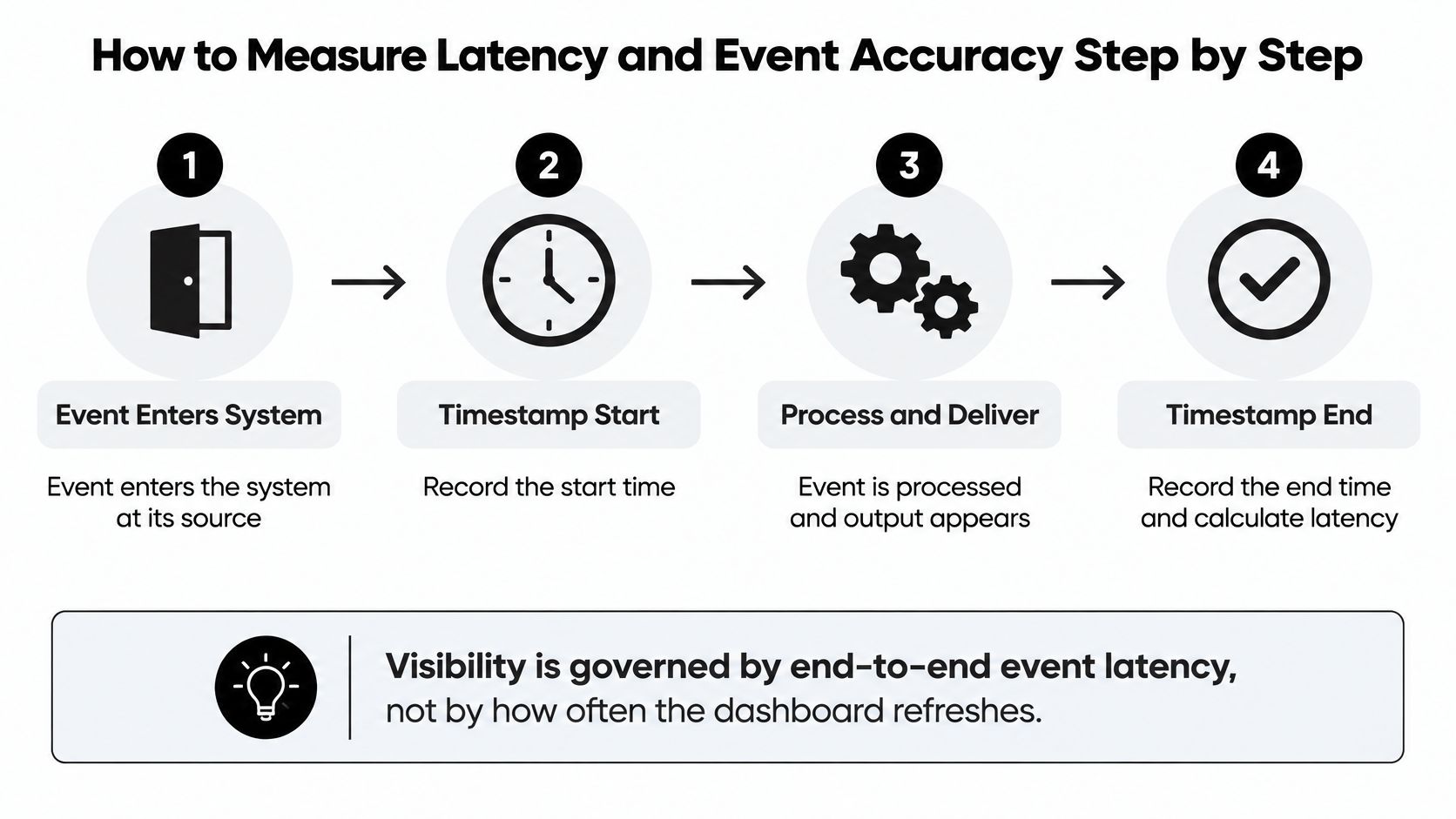
End-to-end event latency is the elapsed time between an event entering the system at its source and its corresponding result appearing at the output. A refresh animation tells you that the screen updated, not that it contains fresh information.
In a stream-processing benchmark published in the Proceedings of the VLDB Endowment, increasing parallelism reduced latency from 1.25 to 0.9 seconds in one workload and from 4.16 to 0.7 seconds in another. These are tested configurations, not performance promises for a Shopify feed.
Distributed systems don't share a universally reliable clock. Document timestamp provenance and synchronize infrastructure clocks before interpreting elapsed times, especially when browsers and servers both produce events.
<a id="instrument-the-complete-path"></a>
Instrument the complete path
-
Stamp the event at its source. Record when the page view or cart change enters the measured path, along with its event ID. The usual slip is mixing browser time with server time without identifying the difference.
-
Record receipt time at your collection endpoint. This separates delivery delay from later processing, while stamping only after a queue hides the time spent waiting inside it.
-
Capture processing time when the event becomes usable by the application. Don't substitute the start of a processing job for the moment its result is ready.
-
Add a display timestamp when the result is rendered for staff. Measuring only the backend response misses browser rendering delays and disconnected dashboard sessions.
-
Calculate p50 and p95 in fixed windows. A practical starting configuration is a fifteen-minute window: p50 describes the middle observation, while p95 shows the slower end of delivery. Don't calculate percentiles from averages, and label sparse windows rather than treating them as reliable.
-
Set alerts against the decision deadline. Use observed p95 behavior to assess whether the feed meets the requirement. Raising the threshold to silence warnings conceals a delivery problem.
-
Reconcile a bounded sample. For an initial check, compare an hour of displayed cart activity with source cart records and link completed purchases to order records. Don't expect every cart to have an order, and don't mistake duplicated event rows for additional shoppers.
<a id="make-failure-visible"></a>
Make failure visible
A trustworthy feed tells staff when its information is no longer current.
Show the last successful event time, a stale-data state, and a clear owner for investigation. If the dashboard freezes, it shouldn't continue to look convincingly live.
Use stable p95 latency, reconciled records, and explicit drift alerts as acceptance criteria. A feed that looks fast but drops cart removals isn't ready to guide customer conversations.
<a id="privacy-limits-and-when-not-to-intervene"></a>
Privacy Limits and When Not to Intervene
More visibility doesn't justify more outreach. A merchant can correctly identify what a shopper is doing and still make the experience worse by interrupting it.
Gartner research reported that 53% of surveyed consumers and B2B buyers felt personalization harmed their most recent purchase experience, and those respondents were 44% less likely to buy again, according to Digital Commerce 360's coverage. This doesn't establish that every live message is harmful, but it rules out treating personalization as automatically helpful.

<a id="distinguish-friction-from-ordinary-shopping"></a>
Distinguish friction from ordinary shopping
A checkout error, a question about bulk pricing, or a request for shipping clarification provides a reason to offer assistance. A product view or a cart change by itself doesn't. People compare options, check budgets, and leave tabs open.
Even a pause at the shipping step is ambiguous. Offer an unobtrusive route to help rather than declaring that the shopper needs rescuing. Don't describe detailed browsing behavior in a message when a simple offer to explain delivery options will do.
Restraint test: If you can't explain how the contact helps the buyer make their own decision, stay quiet.
<a id="put-boundaries-into-the-workflow"></a>
Put boundaries into the workflow
- Consent and preferences: Apply tracking choices consistently across collection and activation, rather than honoring them only in the storefront banner.
- Frequency caps: Limit repeated messages and suppress further prompts after dismissal.
- Plain explanations: Tell the shopper why help is available without exposing unnecessary tracking detail.
- Easy opt-out: Let customers decline assistance and continue purchasing independently.
- Role-based access: Restrict logged-in account details to staff who need them for their assigned work.
- Defined retention: Document when session records expire and how exported copies are handled.
Gartner's active personalization model emphasizes decision support and information customers provide themselves. In practice, asking whether a buyer needs delivery guidance is different from assuming their hesitation means they want a discount.
Use a data security and privacy compliance checklist to turn these boundaries into responsibilities for store administrators, support staff, and analysts. Write a rule the team can follow, such as: Don't initiate sales contact based only on anonymous product browsing.
<a id="e-commerce-and-b2b-use-cases-where-live-signals-pay-off"></a>
E-commerce and B2B Use Cases Where Live Signals Pay Off
A direct-to-consumer shopper pauses after seeing shipping costs. A wholesale buyer adds products while checking quantities with colleagues. Both situations involve a cart, but they require different judgments about identity, intent, and assistance.
The useful question isn't who's browsing. It's what information would help this buyer proceed, and whether staff have enough context to provide it.
<a id="help-without-taking-over"></a>
Help without taking over
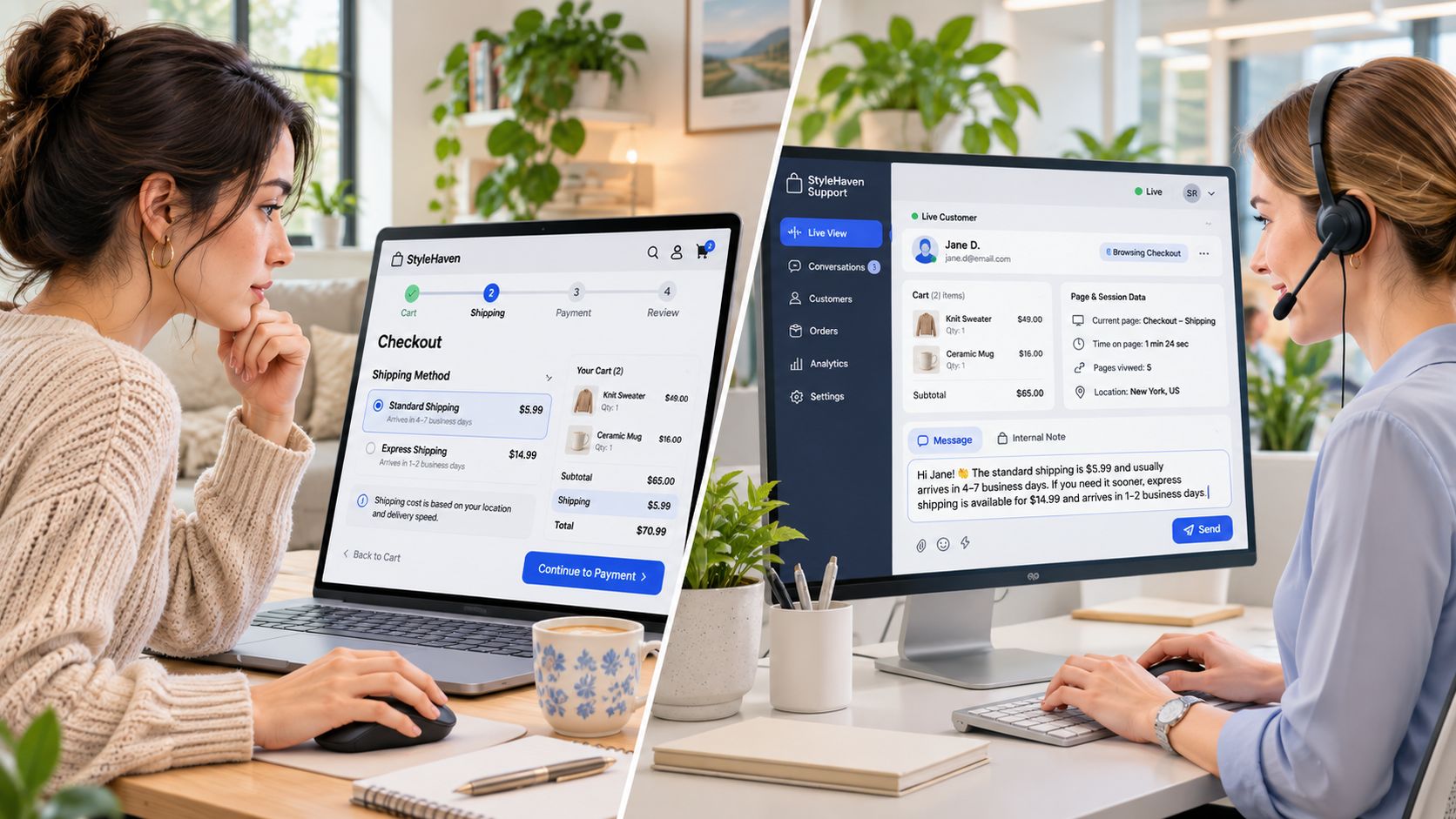
For the consumer order, say the shopper asks whether delivery will arrive before an event. The agent needs the current items and destination information supplied by the customer, not a generic recovery script. Answering the delivery question may be sufficient; the buyer should remain free to complete checkout without staff intervention.
For wholesale purchasing, the cart may represent requests from several stakeholders. Confirm the account, purchasing authority, and requested terms before preparing an assisted order. A logged-in contact isn't necessarily authorized to approve every purchase for the company.
Deloitte Digital reports that only 19% of surveyed B2B companies have advanced personalization capabilities, while 73% of B2B buyers expect a consumer-like personalized experience. The operational opportunity is to connect account context and customer requests without forcing every purchase through sales.
Cart Whisper | Live View Pro provides one Shopify example: its live activity feed shows cart changes, its Cart ID feature opens the customer's exact cart, and merchants can convert carts to draft orders. Its B2B tools also show company names and logged-in customers, giving authorized staff context for an assisted purchase.
<a id="measure-the-handoff-not-just-the-contact"></a>
Measure the handoff, not just the contact
Keep the session, cart, conversation, draft order, and final order linked wherever your systems permit. Define attribution before reporting assisted revenue: staff creating a draft order is different from a buyer completing checkout after asking a question.
Track these measures together:
- Completion without staff contact: Check whether buyers can still purchase successfully through self-service.
- Assisted orders by account: Distinguish accounts that benefit from help from those repeatedly blocked by the same unresolved issue.
- Time from flag to response: Assess whether the team can deliver assistance while it remains useful.
- Handoff failures: Record duplicate orders, abandoned draft orders, and conversations linked to the wrong cart.
Choose a use case and measure it for a month. Review completed purchases alongside unnecessary contacts and unresolved questions, then decide whether to expand, revise, or stop the workflow.
Cart Whisper | Live View Pro offers real-time shopper and cart activity, exact-cart access through Cart IDs, and cart-to-draft-order tools for assisted sales. Visit Cart Whisper | Live View Pro to explore a focused pilot, then pair it with a decision-speed target, clear intervention rules, and a measurable checkout or support outcome.